What to Save Before a Website Redesign
A redesign should improve the website without erasing the assets that already help searchers, buyers, and follow-up teams. Use this checklist before design or development begins.
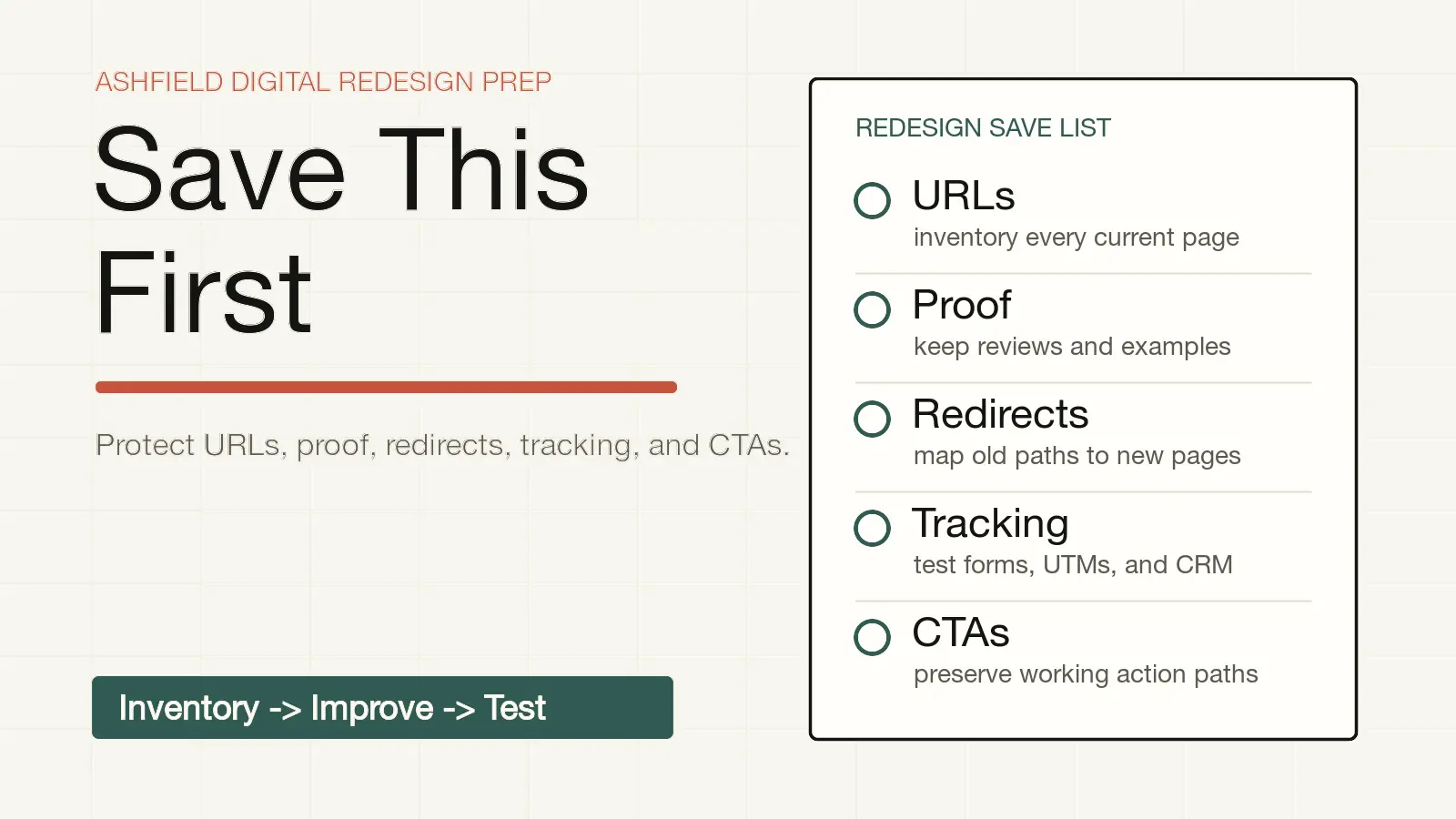
A website redesign should not start by throwing the old site away.
Even a messy site can contain assets that matter: URLs with search visibility, service pages that help sales calls, proof that makes buyers trust the business, forms that preserve source context, and internal links that explain how the offer fits together.
The decision task is simple: before the redesign starts, decide what must be saved, improved, redirected, merged, rebuilt, or intentionally retired. That decision protects the business from losing useful pages while still making room for a better site.
This website redesign SEO checklist is built for owners, operators, and agency teams who want a cleaner site without losing rankings, lead context, conversion paths, or hard-won proof.
Start With A URL Inventory, Not A Mood Board
Before colors, layouts, or homepage copy, export the current site into a working inventory.
At minimum, capture:
| Field | Why it matters |
| --- | --- |
| Current URL | The source of truth for redirects, merges, and page decisions. |
| Page title and meta description | Helps preserve search intent and avoid accidental rewrites. |
| H1 and main topic | Shows what the page currently claims to answer. |
| Organic clicks or impressions | Helps identify pages already visible in search. |
| Backlinks or referral links | Helps protect externally referenced URLs. |
| Leads, calls, bookings, or form starts | Shows which pages create action, not just traffic. |
| Internal links in and out | Keeps important pages connected after launch. |
| Proof, testimonials, examples, or credentials | Protects trust assets that may not live anywhere else. |
| Structured data or FAQ content | Helps avoid losing markup that accurately reflects visible page content. |
| Keep, merge, improve, redirect, or retire | Turns the inventory into a launch plan. |
The inventory does not have to be fancy. A spreadsheet is enough if it lets the team make page-level decisions.
The mistake is treating the old site as a design reference only. It is also a record of what search engines can crawl, what buyers can understand, what sales teams rely on, and what tracking systems expect.
Decide What Content Deserves To Survive
Not every page should be preserved exactly as it is. Some pages are thin, outdated, duplicated, or aimed at offers the business no longer sells.
But old does not mean useless.
Use these questions before deleting or rewriting a page:
1. Does this page answer a real buyer question?
2. Does it rank, earn impressions, get cited, attract links, or receive referral traffic?
3. Does it create qualified calls, forms, bookings, or sales conversations?
4. Does it contain proof that is hard to recreate, such as project examples, process details, credentials, reviews, or before-and-after context?
5. Does another page already answer the same question better?
6. Would merging this page make the new page stronger?
7. Would deleting it remove a useful internal link path?
This is where people-first content matters. Google's guidance is not to preserve pages because they exist. The useful standard is whether the content helps a person accomplish the task that brought them there.
For example:
| Current page | Better redesign decision |
| --- | --- |
| Old service page with weak design but strong lead history | Keep the URL if possible, rewrite the copy, improve proof, and preserve the form path. |
| Thin location page with copied text | Merge into a stronger location or service page if it does not deserve a standalone page. |
| Blog post that answers a frequent sales objection | Refresh it, link it from the relevant service page, and keep the redirect path clean. |
| Dead campaign page with no traffic, links, or business use | Retire it intentionally and return the correct status if there is no relevant replacement. |
The goal is not nostalgia. The goal is controlled change.
Build A Redirect Plan Before URLs Change
If URLs change during the redesign, map them before launch.
A practical redirect plan should include:
- Old URL.
- New destination URL.
- Reason for the redirect.
- Page type, such as service, location, blog, resource, or campaign.
- Priority, based on traffic, links, leads, or business importance.
- Owner for implementing and testing the redirect.
- Launch verification status.
Google's site-move and redirect documentation is useful here because it points to a simple principle: when a URL changes, send users and search engines to the most relevant replacement. That means `/services/seo-audit` should not be dumped onto the homepage if the new site has `/audit` or a stronger technical SEO page.
Use this redirect logic:
| Old page situation | Redirect decision |
| --- | --- |
| Same service, cleaner new URL | Redirect old URL to the new service page. |
| Two similar posts become one better resource | Redirect both old URLs to the merged resource. |
| Old location page becomes part of a broader local service page | Redirect only if the new page actually covers that location or service intent. |
| Old offer no longer exists and has no close replacement | Consider a relevant explanation page, or let it return the correct status. |
| Large set of unrelated weak URLs | Do not blindly redirect all of them to the homepage. |
After launch, test the highest-value redirects manually and with a crawler. A redirect plan that exists in a spreadsheet but never gets tested is just a hope document.
Preserve Tracking, Forms, And Source Context
Redesigns often break measurement quietly.
The new site looks better, but the form no longer passes landing page, campaign, referrer, or service context into the CRM. Analytics events change names. Thank-you pages disappear. Phone or booking paths move. A contact form works visually but no longer tells follow-up where the lead came from.
Before launch, save and test:
- GA4 measurement ID and key events.
- Google Tag Manager container and triggers.
- Consent banner behavior, if used.
- Form names, hidden fields, and thank-you pages.
- UTM source, medium, campaign, content, and term handling.
- Landing-page and referrer fields.
- Call tracking, booking widgets, chat, and email click tracking.
- CRM field mapping.
- Spam protection that does not block real leads.
- Test submissions from mobile, desktop, paid links, organic pages, and referral links.
Google Analytics campaign parameters can help label campaign traffic, but parameters only help if the redesigned site and CRM preserve them after the click. A redesign checklist should include real submission tests, not just "analytics installed."
A useful launch test looks like this:
| Test | Expected result |
| --- | --- |
| Submit contact form from a tagged URL | CRM stores source, medium, campaign, landing page, and form name. |
| Tap mobile call button from a service page | Phone action is visible in analytics or call tracking, when configured. |
| Book from a redesign landing page | Booking source and page context survive into follow-up. |
| Submit from a privacy or consent-restricted session | The form still works, and reporting labels limitations honestly. |
If source context disappears, the redesign did not preserve the lead system. It only preserved the surface.
Carry Over Proof And Conversion Paths
Design teams often rebuild the page structure and accidentally lose the proof that made the old page trustworthy.
Save these before copy is rewritten:
- Reviews and testimonials, with permission and source context.
- Project examples, screenshots, photos, deliverables, or outcomes.
- Certifications, licenses, partner badges, or industry credentials.
- Process details that explain how the work is done.
- Pricing, scope, timelines, or fit criteria.
- FAQs that answer real buyer objections.
- Calls to action that already work.
- Sales-call language that customers recognize.
Then decide where each proof point belongs on the new site.
For many local and service businesses, proof should be near the action path, not trapped on a separate page. A service page that asks for a consultation should show the relevant proof before the form or phone path. A redesign that makes everything prettier but moves proof away from the decision point can lower trust.
Use a preservation table:
| Proof asset | Current location | New location | Why it matters |
| --- | --- | --- | --- |
| Review about emergency response | Homepage | Local service page near call CTA | Supports urgent mobile visitors. |
| Before-and-after gallery | Portfolio page | Relevant service page and gallery | Shows real work without forcing a detour. |
| Process explanation | About page | Service page section | Reduces uncertainty before contact. |
| Pricing fit note | Old FAQ | Pricing and contact pages | Filters poor-fit inquiries before the form. |
Conversion paths need the same treatment. Save the routes people use now, then simplify them on purpose.
Protect Structured Data And Internal Links
Structured data should describe visible, accurate page content. During a redesign, preserve or rebuild schema only when the matching content still exists on the page.
Check:
- Organization details.
- Breadcrumbs.
- Article or blog metadata.
- FAQ content that appears visibly on the page.
- Service or local business information when it is accurate and supported.
- Image URLs and alt text.
- Canonical URLs.
Do not copy old markup blindly. Google's structured data guidelines emphasize that markup should represent the page content. If the redesign changes the service, removes FAQs, changes authorship, or replaces the page intent, the schema needs to change too.
Internal links also need protection. A redesign is a good time to clean navigation, but do not remove useful paths by accident.
For this site, a redesign plan might intentionally connect:
- `/solutions/website-redesign` for the redesign scope.
- Use `/audit` for an initial fit review and a few evidenced observations; detailed diagnosis is scoped separately.
- `/solutions/technical-seo-services` when redirects, crawlability, schema, speed, or implementation are the main risk.
- `/solutions/conversion-tracking-lead-attribution` when forms and source fields need to survive.
- `/pricing` when the decision is quick fix, redesign, or retainer.
- `/contact` when the next step is a scoped conversation.
That link path gives buyers and search systems a cleaner map of what the business does.
Know When Cleanup Is Enough
Not every website needs a full redesign.
Sometimes the better first move is a cleanup sprint:
- Fix the mobile CTA and form path.
- Rewrite the top service page.
- Add missing proof.
- Compress images and repair performance issues.
- Fix broken internal links.
- Preserve form source fields.
- Add a redirect plan for a few changed pages.
- Refresh the old resources that still answer useful questions.
A redesign makes more sense when the underlying system is holding the business back:
- Navigation no longer matches the services sold.
- Page templates cannot support proof, FAQs, pricing, or action paths.
- The site is technically fragile or hard to update.
- The brand and offer have changed enough that patching creates more confusion.
- Conversion paths require a structural rebuild.
- Tracking and CRM handoff need to be redesigned, not just repaired.
That decision should happen before scope is sold. The wrong redesign can bury the real problem. The right pre-redesign audit shows whether the business needs a rebuild, a cleanup, or a staged path.
Ashfield's Redesign Preservation Path
Ashfield treats redesign prep as operational work before visual work.
The practical path is:
- Use `/audit` for an initial fit review and a few evidenced observations; detailed diagnosis is scoped separately.
- Use `/solutions/website-redesign` when the site needs a rebuild that preserves useful assets and improves the buyer path.
- Use `/solutions/technical-seo-services` when crawlability, redirects, schema, performance, internal links, or launch QA are the main risk.
- Use `/solutions/conversion-tracking-lead-attribution` when forms, calls, campaigns, and CRM source fields need to survive the rebuild.
- Use `/pricing` when the owner needs to choose between a quick fix, project, or retainer.
- Use `/contact` when the next step is a scoped redesign prep conversation.
The goal is a better site without amnesia. Save what helps buyers, preserve what helps search systems understand the site, test what creates leads, and retire weak pages intentionally.
Sources Used For This Redesign Checklist
- Google Search Central: Creating helpful, reliable, people-first content: https://developers.google.com/search/docs/fundamentals/creating-helpful-content
- Google Search Central: Site moves and URL changes: https://developers.google.com/search/docs/crawling-indexing/site-move-with-url-changes
- Google Search Central: Redirects and Google Search: https://developers.google.com/search/docs/crawling-indexing/301-redirects
- Google Search Central: General structured data guidelines: https://developers.google.com/search/docs/appearance/structured-data/sd-policies
- Google Analytics Help: URL builders and campaign parameters: https://support.google.com/analytics/answer/10917952
FAQ
What should be saved before a website redesign?
Save the current URL list, title tags, meta descriptions, headings, page copy, proof points, media, forms, conversion paths, analytics events, source fields, redirects, and Search Console or GA4 baseline notes. The goal is not to preserve every weak page. The goal is to know what already helps buyers or search visibility before rebuilding the site.
How do you preserve SEO during a redesign?
Preserve SEO by inventorying crawlable URLs, identifying pages with traffic or backlinks, keeping useful content, mapping changed URLs to relevant redirects, maintaining internal links, carrying over structured data that matches visible content, and testing indexability after launch. Avoid deleting pages only because they are old. Decide page by page.
Should every old URL be redirected?
Every valuable changed URL should have a relevant destination, but not every junk page deserves a redirect. Map important old URLs to the closest new equivalent. If no equivalent exists, decide whether to create one, merge the content, or let the page return the correct status. Avoid redirecting large groups of unrelated pages to the homepage.
What tracking needs to survive a redesign?
Preserve analytics tags, form events, call or booking tracking, UTM handling, landing-page fields, referrer context, CRM field mapping, thank-you pages, and consent behavior. Test real submissions from common paths before launch so leads do not arrive without source or page context.
When is cleanup enough before a redesign?
Cleanup may be enough when the brand still fits, the site structure is usable, and the biggest problems are broken forms, thin proof, slow pages, confusing CTAs, missing tracking, or stale service copy. A full redesign makes more sense when the navigation, page templates, positioning, technical foundation, or conversion paths cannot support the business anymore.
Keep reading
What Fail-Closed QA Means Before a Local Post Goes Live
AI and content calendars make it cheap to ship local posts. Fail-closed QA is the opposite habit: named checks that block publish when the copy would misrepresent a shop, pad a suburb, skip the call path, or invent a fact.
What Actually Moves Calls for Multi-Location Home Services (Maps, Pages, Conversion)
If call volume is flat, more blog posts are usually the wrong first move. Inspect the Maps listing a buyer actually sees, the location or service page they land on, and the tap-to-call or form path that has to finish the job.
How Multi-Location Home Service Brands Keep City Pages Distinct
A city-page farm can look like coverage while giving buyers the same thin answer in ten URLs. Use this method to approve only the markets that differ, publish what must be distinct, and keep those pages current on a weekly cadence.