The Source Fields Every Lead Form Should Preserve
Website leads lose value when useful source context disappears before follow-up. Preserve the fields that help sales, reporting, and attribution stay honest.
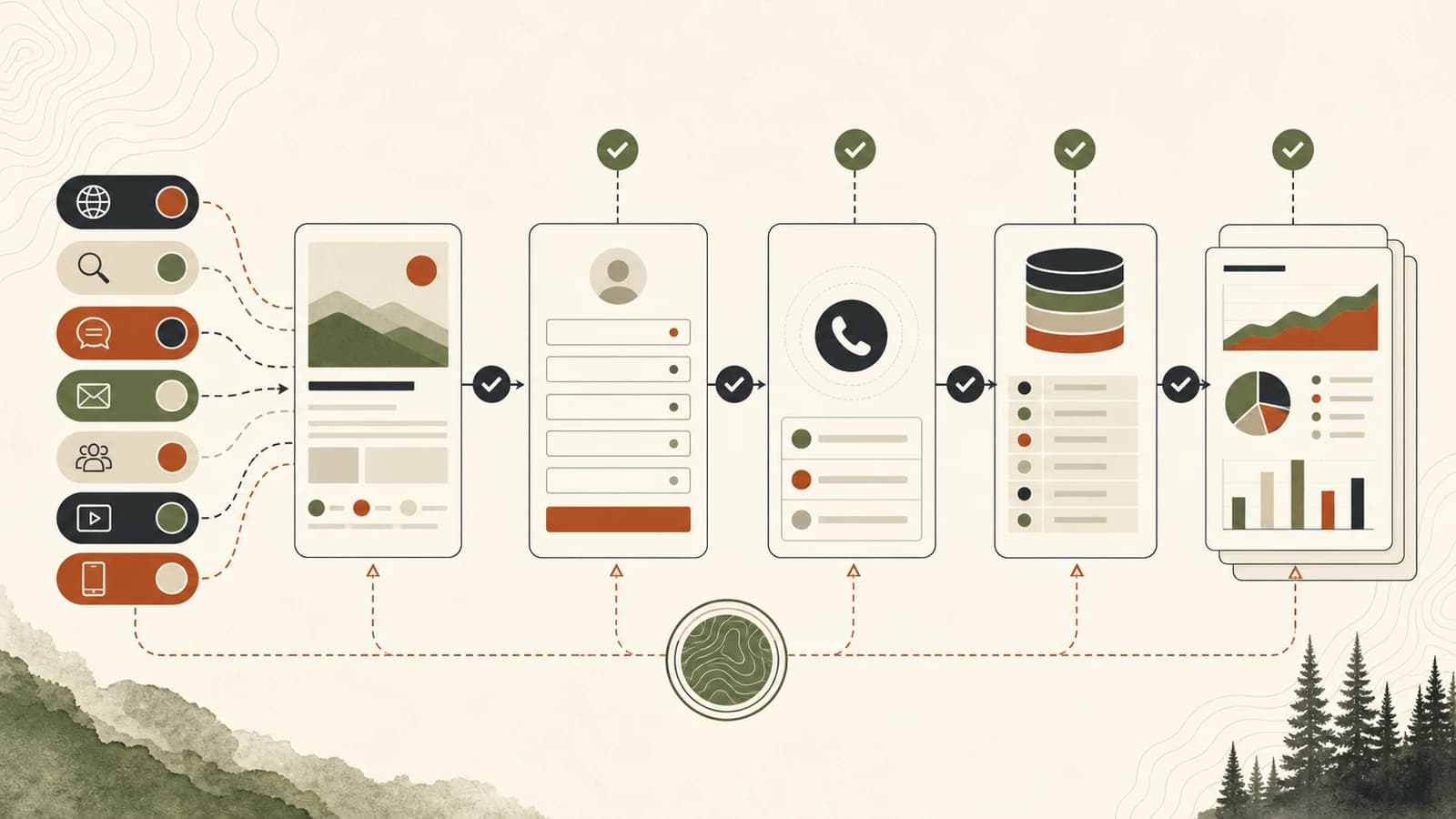
Source context is not just a reporting detail. It affects follow-up, budget decisions, agency accountability, and whether an owner can tell which pages are actually creating useful inquiries.
The common failure is simple: a visitor arrives from a campaign, organic search result, referral, email, ad, or returning direct visit, then submits a form or calls. By the time the lead reaches the inbox or CRM, the only source label left is something vague like "website," "Google," or "form submission."
That is not enough. A business needs to know what page the visitor landed on, what page converted, what campaign values were present, which form or call path they used, and what follow-up should happen next.
The goal is not perfect attribution. The goal is to preserve enough evidence that the team can act honestly.
Start With The Decision The Fields Need To Support
Before adding hidden fields, decide what the owner, agency, or sales team needs to answer. A good lead source setup usually supports five decisions:
- Which pages are creating qualified inquiries?
- Which campaigns or channels are sending visitors who actually act?
- Which form, phone, or booking path did the visitor use?
- What should the follow-up person know before calling back?
- What attribution limits should be visible before anyone moves budget?
That last point matters. Source tracking can improve evidence, but it cannot make every buyer journey fully knowable. Browser privacy settings, cross-device behavior, ad platform redirects, missing UTM values, direct traffic, offline referrals, and phone conversations can all remove context.
So the field system should do two things at once: preserve what is available and avoid pretending the remaining gaps do not exist.
Preserve The Minimum Useful Field Set
A lead form does not need a hundred hidden fields. It needs the fields that help a person reconstruct what happened.
Use this as the minimum practical field set:
| Field | Why it matters |
| --- | --- |
| Landing page | Shows where the session or tracked visit began. |
| Current page | Shows the page where the form was submitted. |
| Referrer | Helps identify prior page or external source when available. |
| `utm_source` | Identifies the source, such as newsletter, partner, or platform. |
| `utm_medium` | Identifies the medium, such as email, cpc, social, or referral. |
| `utm_campaign` | Identifies the campaign name or initiative. |
| `utm_content` | Helps separate creative, links, buttons, or variants. |
| `utm_term` | Helps preserve paid search term context when used. |
| Click IDs | Preserves ad platform IDs when present, such as Google Ads click IDs. |
| Form name or ID | Shows which form captured the lead. |
| Service interest | Connects the inquiry to a service, location, offer, or need. |
| Timestamp | Supports follow-up timing, reporting, and duplicate review. |
| Contact method | Separates form, call, booking, chat, and email leads. |
| Consent context | Records the consent checkbox or disclosure state when relevant. |
Google Analytics documentation explains that campaign parameters in destination URLs can help Analytics identify campaign traffic, and Google's traffic-source guidance recommends setting all relevant UTM parameters when using manual tagging. That is useful for analytics. The form workflow has a different job: preserve the same context in the lead record before it disappears.
One warning: do not treat every field as a final truth. A referrer can be blank. A visitor can return later without UTM parameters. A campaign can be tagged poorly. A CRM import can overwrite values. The fields are evidence, not magic.
Separate Landing Page, Current Page, And Source
Many lead systems flatten three different questions into one field:
- Where did the visitor come from?
- Where did they enter the site?
- Where did they convert?
Those are not the same question.
For example, a visitor might click a LinkedIn post to `/resources`, read an article, leave, return directly two days later, and submit a form from `/solutions/conversion-tracking-lead-attribution`. If the CRM only says "Direct," the team loses useful context. If it only says "LinkedIn," the team misses the converting page. If it only says "website," nobody learns anything.
A cleaner CRM mapping looks like this:
| CRM field | Example value | Reporting question |
| --- | --- | --- |
| Original source | `linkedin` | What first brought the contact into the tracked journey? |
| Original medium | `social` | What channel type was attached to that source? |
| Original landing page | `/resources` | Which page started the visit path? |
| Latest source | `direct` | What source was present at the converting visit? |
| Conversion page | `/solutions/conversion-tracking-lead-attribution` | Which page generated the inquiry? |
| Form name | `Attribution cleanup inquiry` | Which form captured the lead? |
| Service interest | `Lead attribution cleanup` | What should follow-up focus on? |
Not every site can capture all of this cleanly on day one. That is fine. Start with landing page, current page, UTM values, referrer, form name, and timestamp. Then improve the CRM mapping once the basic form submissions are reliable.
Treat Calls As Their Own Attribution Path
Phone calls often break attribution because they bypass the form entirely. A visitor sees a phone number, taps it, speaks to someone, and becomes a real opportunity. The website may have created the lead, but the CRM record might only say "phone call."
For local service businesses and high-intent service pages, that is a major blind spot.
Calls should preserve:
- Number shown or number dialed.
- Page where the number was clicked or viewed.
- Landing page when available.
- UTM values or campaign context when available.
- Call timestamp.
- Caller number when legally and operationally appropriate.
- Call outcome, such as booked, missed, spam, support, sales, or not a fit.
- Follow-up owner and next step.
If the site uses call tracking or dynamic number insertion, the call record should still connect back to the same reporting system as form leads. If the site does not use call tracking, the workflow can still improve with simpler steps: use click-to-call events, label phone links by page, ask intake staff to choose a source category, and connect the call note to the service page or campaign when known.
The important point is consistency. A form lead and a call lead should not live in two disconnected worlds if the business needs to decide which pages and campaigns are working.
Use Tag Manager Carefully For Form Events
Google Tag Manager can listen for form submissions and other website events, but the implementation has to match the way the form actually behaves. Google's Tag Manager documentation notes that the form submission trigger is used when a form has been sent, while custom event triggers may be needed when standard form behavior has been changed.
That is common on modern sites. Many forms submit through JavaScript, embedded platforms, multi-step widgets, booking tools, or third-party scripts. A basic trigger may miss the event, fire too early, or fire on a validation error.
Before trusting the report, test the real path:
- Submit the form with clean test values.
- Confirm the lead notification includes the expected source fields.
- Confirm the CRM record receives the same fields.
- Confirm the analytics event fires once, not zero times or twice.
- Test validation errors so failed submissions are not counted as leads.
- Test mobile, not just desktop.
- Test a UTM-tagged visit and a visit without UTM values.
- Test a returning direct visit if original-source logic is being used.
This is where the tracking setup becomes operational. The field exists, the event fires, the CRM receives it, and the follow-up person can see it without digging through a tag manager preview screen.
Report Attribution With The Limits Attached
Attribution reports become risky when they overstate certainty. Google Analytics attribution documentation describes attribution as assigning credit to touchpoints along a user's path, and data-driven models use available interaction signals to estimate credit. That is useful, but it is still based on available data.
A practical report should separate three levels of confidence:
| Confidence level | What it means | Example |
| --- | --- | --- |
| Captured | The source fields were present in the lead record. | UTM source, medium, campaign, landing page, and conversion page arrived in the CRM. |
| Inferred | The system made a reasonable classification from partial evidence. | Referrer suggests organic search, but no campaign fields were present. |
| Unknown | The source cannot be supported by available data. | Direct visit with no referrer, no UTM values, and no prior tracked source. |
This keeps the conversation sane. Instead of saying, "All these leads came from direct," the team can say, "These five leads had captured campaign data, eight had organic or referral evidence, and six are unknown because the source context was not available."
That is more honest and more useful. It also shows where the tracking workflow should improve next.
A Simple Implementation Checklist
If you are cleaning this up this week, use this sequence:
1. Choose the CRM fields before editing the form.
2. Add hidden fields for landing page, current page, referrer, UTM values, click IDs when available, form name, timestamp, and service interest.
3. Preserve original-source fields separately from latest-source fields when the CRM supports it.
4. Make form notifications readable for the person doing follow-up.
5. Send the same fields into the CRM, not only email.
6. Configure form and call events in analytics or Tag Manager.
7. Test successful submissions, failed submissions, mobile submissions, UTM visits, non-UTM visits, and returning visits.
8. Add call-path handling for phone leads.
9. Build a small report that separates captured, inferred, and unknown source context.
10. Document the limits so nobody treats the report as more precise than it is.
The first working version does not have to be fancy. It has to be dependable. A plain lead record with the right source context beats a polished dashboard fed by vague or missing fields.
Ashfield's Lead Attribution Cleanup Path
Ashfield helps owners and agencies fix the handoff between website traffic, forms, calls, analytics, and CRM follow-up.
The practical path is:
- Use `/audit` if you need to find where source context is being lost.
- Use `/solutions/conversion-tracking-lead-attribution` when forms, calls, UTMs, CRM fields, and reports need to be cleaned up together.
- Use `/solutions/marketing-reporting-automation` when the fields already exist but the weekly report is still unclear.
- Use `/solutions/technical-seo-services` when tracking issues are part of a broader site cleanup.
- Use `/contact` when the next step is a scoped attribution cleanup instead of another vague marketing report.
The outcome should be simple: when a lead arrives, the business can see what the person asked for, where the inquiry happened, which source fields were preserved, and what uncertainty remains.
Sources Used For This Attribution Checklist
- Google Analytics Help: URL builders and custom campaign URLs: https://support.google.com/analytics/answer/10917952
- Google Analytics Help: Traffic-source dimensions, manual tagging, and auto-tagging: https://support.google.com/analytics/answer/11242870
- Google Tag Manager Help: Form submission trigger: https://support.google.com/tagmanager/answer/7679217
- Google Analytics Help: Get started with attribution: https://support.google.com/analytics/answer/10596866
- Google Search Central: Creating helpful, reliable, people-first content: https://developers.google.com/search/docs/fundamentals/creating-helpful-content
FAQ
Which UTM fields matter most for lead forms?
At minimum, preserve utm_source, utm_medium, utm_campaign, utm_content, and utm_term when they are present. For paid campaigns, preserve relevant click IDs and the landing page too. A source field alone is rarely enough because the medium, campaign, page, and conversion context explain why the lead arrived.
Should hidden form fields overwrite the CRM lead source every time?
No. Hidden fields should capture the current visit and conversion context, but the CRM should avoid overwriting useful first-touch or original-source values unless the team has explicitly decided to do that. Keep separate fields for original source, latest source, landing page, conversion page, and contact method so reporting does not collapse different questions into one answer.
How should phone calls be tracked if they do not submit a form?
Calls need a separate workflow that records the page or campaign context when possible, the phone number shown, call timestamp, call outcome, and follow-up owner. If dynamic number insertion or call tracking is used, the call record should still land in the same reporting and CRM process as form leads.
What belongs in the CRM from a website lead?
The CRM should receive enough context for both follow-up and reporting: name, contact details, service interest, landing page, current page, referrer, UTM values, click IDs when available, form name, contact method, timestamp, consent context, and any relevant notes. The exact labels can vary, but the fields should answer where the lead came from and what they asked for.
Why can attribution still be incomplete after fields are preserved?
Attribution is still limited by browser privacy settings, missing tags, direct visits, cross-device journeys, ad platform rules, offline conversations, call behavior, and CRM data quality. Preserved fields improve evidence, but they do not create perfect certainty. Useful reports should show the fields collected and the limits that remain.
Keep reading
What Fail-Closed QA Means Before a Local Post Goes Live
AI and content calendars make it cheap to ship local posts. Fail-closed QA is the opposite habit: named checks that block publish when the copy would misrepresent a shop, pad a suburb, skip the call path, or invent a fact.
What Actually Moves Calls for Multi-Location Home Services (Maps, Pages, Conversion)
If call volume is flat, more blog posts are usually the wrong first move. Inspect the Maps listing a buyer actually sees, the location or service page they land on, and the tap-to-call or form path that has to finish the job.
How Multi-Location Home Service Brands Keep City Pages Distinct
A city-page farm can look like coverage while giving buyers the same thin answer in ten URLs. Use this method to approve only the markets that differ, publish what must be distinct, and keep those pages current on a weekly cadence.